Organisationseinstellungen
Name, Logo und Wechsel zwischen Organisationen.
Öffnen Sie Organisation bearbeiten im Organisationsmenü (der Organisationsname in der Admin-Kopfzeile).
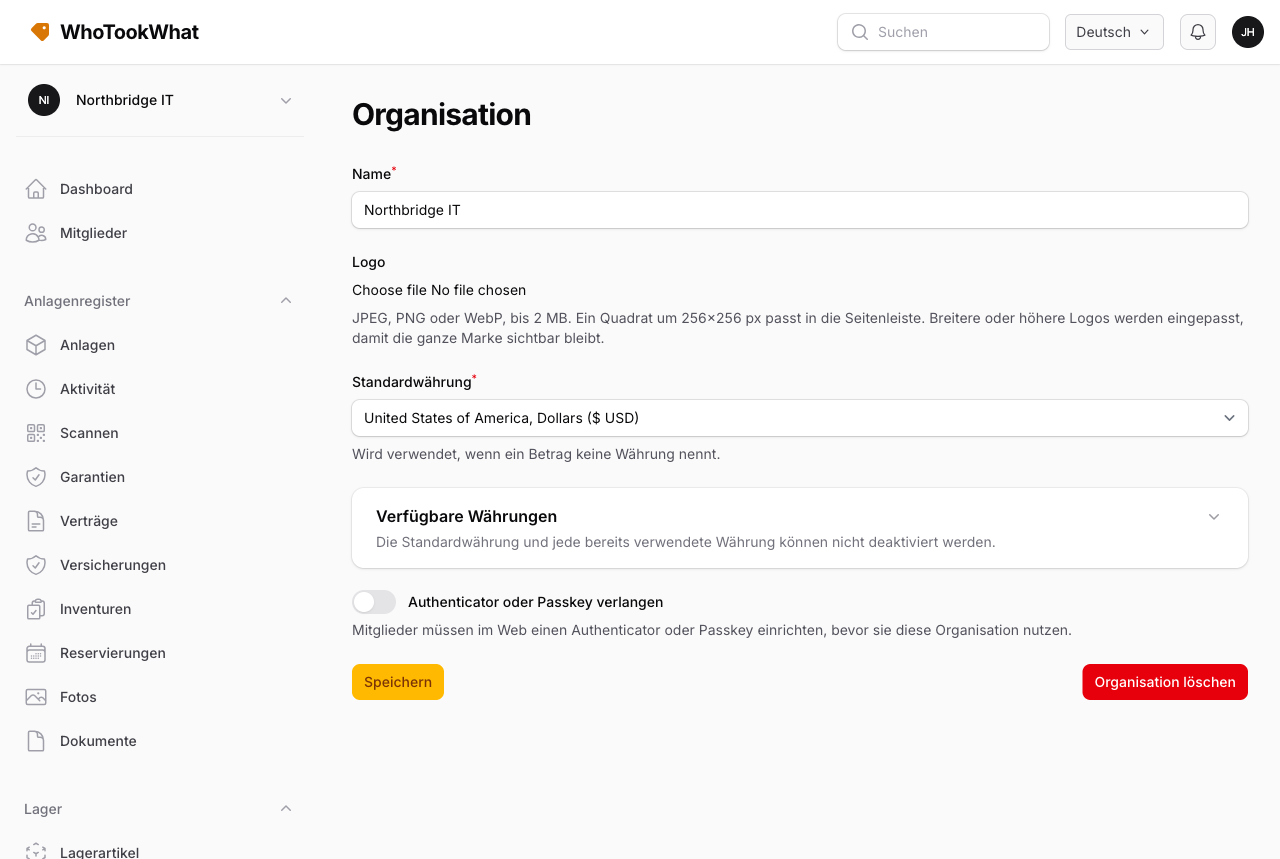
Name und Logo
Ändern Sie den Organisationsnamen und das optionale Logo (JPEG, PNG oder WebP, max. 2 MB). Der Slug in der URL wird beim Anlegen der Organisation gesetzt.
Authenticator erforderlich
Owner können einen Authenticator oder Passkey verlangen, bevor Mitglieder diese Organisation nutzen. Mitglieder ohne Faktor werden im Web zu ihrem Profil geschickt. Die mobile App zeigt einen Bildschirm, der sie bittet, sich im Web einzurichten und die Organisation danach erneut zu wählen.
Wechseln oder anlegen
Dasselbe Menü erlaubt Organisation wechseln (wenn Sie zu mehr als einer gehören) oder Organisation erstellen. Die mobile App kann eine Organisation anlegen (Name und optionales Logo) und denselben Test starten. Die Abrechnung bleibt auf der Website.
Weitere Organisationsseiten
| Seite | Zweck |
|---|---|
| Abo | Tarif und Stripe-Abrechnung für diese Organisation |
| Hinweise | E-Mail-Hinweise |
| Anlagenformular | Welche Felder an Anlagen erscheinen |
| Mitglieder | Wer sich anmelden kann |
| Rollen | Benutzerdefinierte Berechtigungen |
Diese Organisation löschen
Owner können auf derselben Seite Organisation löschen. Sind noch andere Mitglieder da, entfernen Sie sie oder übertragen Sie zuerst die Inhaberschaft. Eine bezahlte Organisation bleibt bis zum Ende des aktuellen Abozeitraums, danach wird das Register entfernt.
Das Konto schließen ist etwas anderes — das ist Ihr Benutzer, nicht eine Organisation.