Organisation settings
Name, logo, and switching between Organisations.
Open Edit Organisation from the Organisation menu (the Organisation name in the admin header).
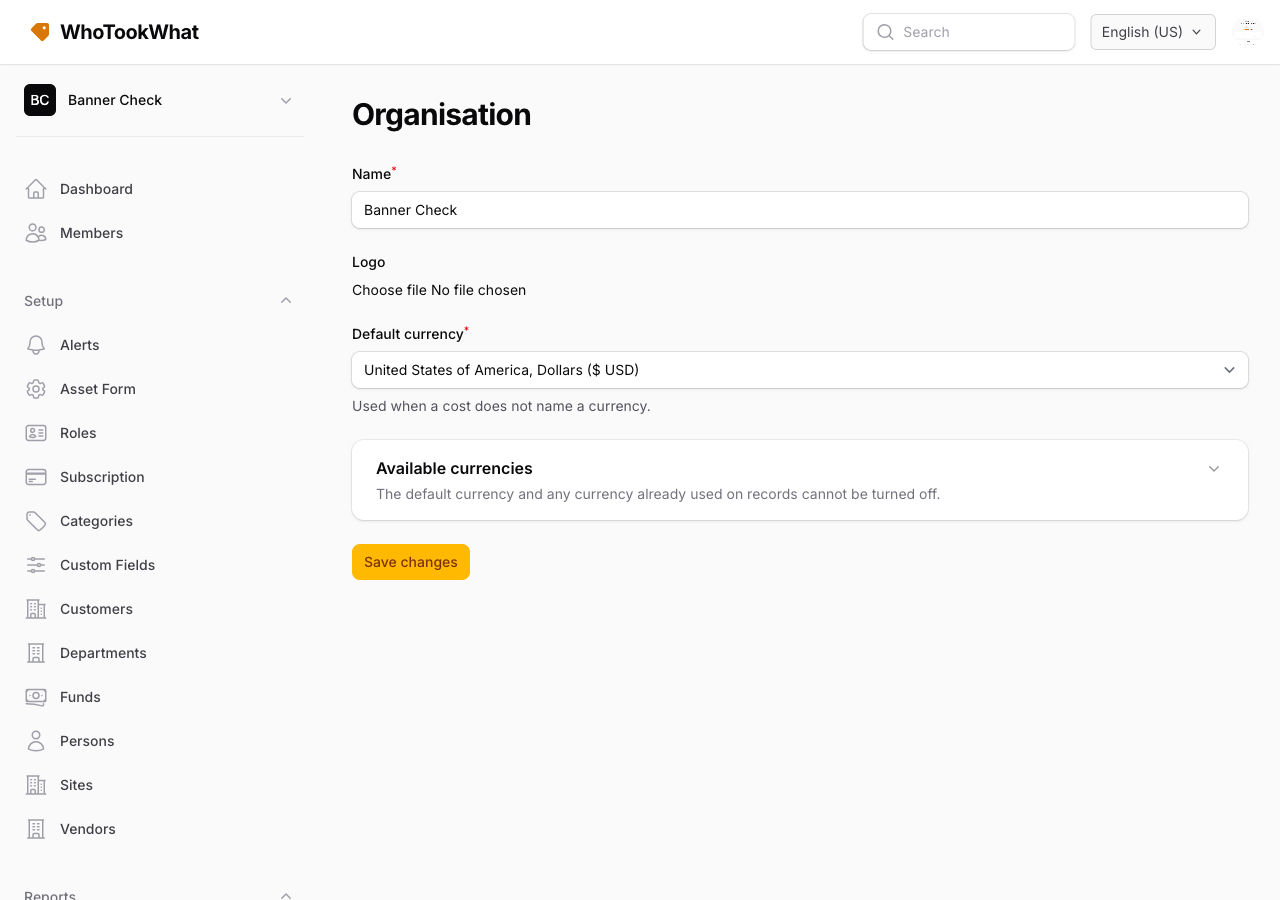
Name and logo
Change the Organisation name and optional logo (JPEG, PNG, or WebP, max 2 MB). The slug in the URL is set when the Organisation is created.
Authenticator required
Owners can require an authenticator or passkey before members use this Organisation. Members without a factor are sent to their profile on the web. The mobile app shows a screen that tells them to enrol on the web, then pick the Organisation again.
Switch or create
The same menu lets you Switch Organisation (if you belong to more than one) or Create Organisation. The mobile app can create an Organisation (name and optional logo) and start the same trial. Billing stays on the website.
Other Organisation screens
| Screen | Purpose |
|---|---|
| Subscription | Plan and Stripe billing for this Organisation |
| Alerts | Email alerts |
| Asset form | Which fields show on assets |
| Members | Who can sign in |
| Roles | Custom abilities |
Delete this Organisation
Owners can Delete Organisation on this same screen. If other members are still here, remove them or transfer ownership first. A paid Organisation stays until the current subscription period ends, then the register is removed.
Closing your account is separate — that is your user, not one Organisation.