Profile
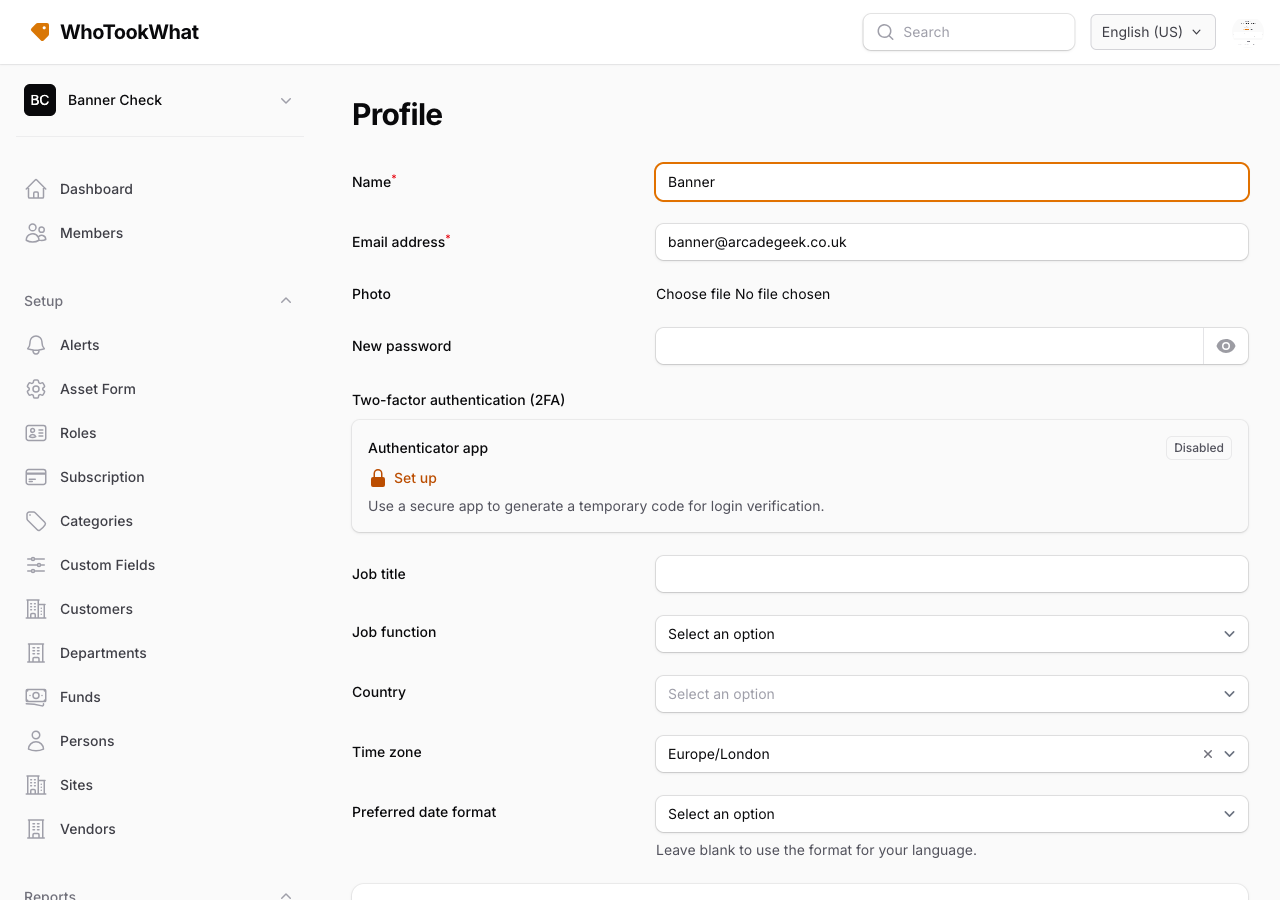
Name, photo, timezone, membership defaults, and password.
Open Profile from the user menu (top right). The URL is /admin/profile and is not tied to one Organisation.
Identity
Name, optional profile photo, job title, job function, and country.
Email addresses
You can keep more than one address. Sign in and accept invitations with any verified address on this account.
Add email, then confirm the link sent to that inbox while signed in to this account. A forwarded link cannot attach the address to someone else. Confirmation links expire after a day. Resend verification sends a new link. Make primary promotes a verified address. Remove deletes an extra address. Keep at least one verified email. Change the primary only after the replacement is verified.
Connected accounts
Connected accounts links Google, Microsoft, or Apple so you can sign in with those providers on the website and in the mobile app. The phone’s Account screen can link a provider on a development or production build (not Expo Go). Disconnect stays on this page: it removes that method when another sign-in method remains (password, another provider, or a passkey). Keep at least one way to sign in. Connecting Google may ask you to confirm access so WhoTookWhat can revoke that grant when the account closes. An unverified Google address is not connected. Microsoft and Apple emails are trusted when the provider does not send a verification flag; an explicit unverified flag is not connected.
If that login already belongs to another live account, the connect is rejected. You see “That login already belongs to another account.” The login stays on the other account.
Timezone
Timezone is for display. Dates and times are stored in UTC. Calendar dates (a due date of 12 September) do not shift. Instants (when something happened) convert to your zone.
Membership defaults
A collapsed section lists each Organisation you belong to. Set defaults such as preferred site or other membership options per Organisation. If you belong to several, you can pick which Organisation you land in after sign-in.
Password and 2FA
Change password and manage authenticator 2FA and passkeys below the photo. The phone’s Account screen can enrol or delete passkeys on a development or production build (not Expo Go). You cannot delete the last remaining sign-in method. See Accounts.
Billing and close
Owners see Billing in the user menu. Closing the account is on the profile. See Billing and Close your account.